
Best IPTV Apps for Apple TV in 2026: Top 4 Players Compared
Updated: October 2026 | Reading time: 8–10 minutes
Looking for the best IPTV apps for Apple TV in 2026? Whether you enjoy watching live television, sports, movies, or your favorite TV series, choosing the right IPTV player can make a big difference in your streaming experience.
Apple TV is an excellent entertainment device thanks to its smooth performance, intuitive interface, and support for high-quality video. However, to watch content from an IPTV subscription, you need a compatible application.
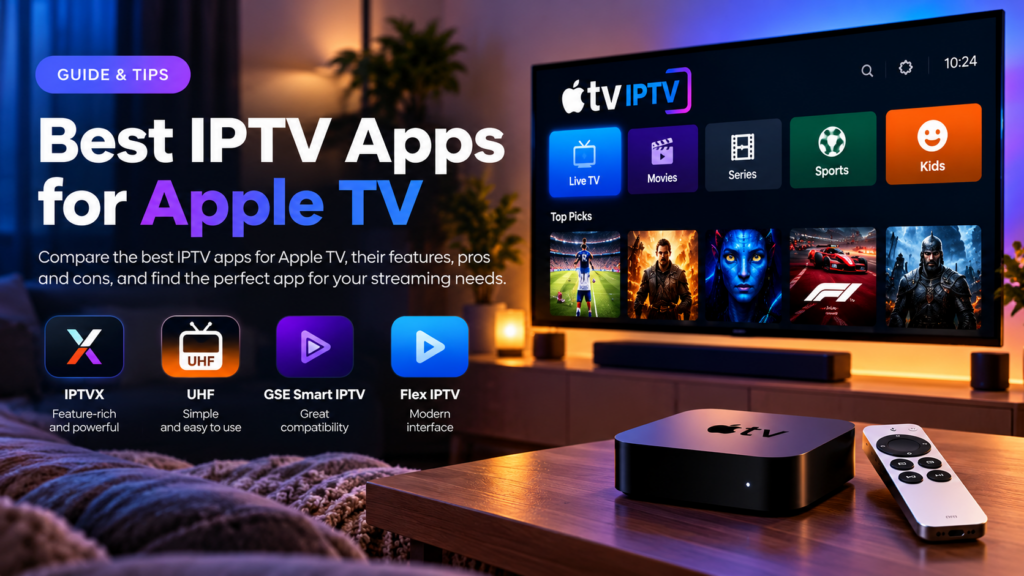
In this guide, we’ll explore four IPTV players, compare their features, explain their advantages and disadvantages, and help you choose the best option for your Apple TV IPTV setup.
1. What Is an IPTV App for Apple TV?
An IPTV application is a media player that allows you to watch television content delivered over an internet connection.
Unlike traditional cable or satellite television, IPTV uses internet protocols to deliver live channels and on-demand video.
Depending on your subscription, you may have access to:
- Live television channels
- Sports broadcasts and events
- Movies and television series
- International entertainment
- Electronic Program Guides (EPG)
- HD, Full HD, and 4K streams
Important: Most IPTV players do not provide television channels themselves. You must supply your own compatible, legally authorized playlist or content subscription.
2. IPTVX – Best for a Premium Streaming Experience
IPTVX is one of the most feature-rich IPTV players available for Apple TV.
Its interface is designed to organize live television, movies, and series into an attractive streaming library.
Key Features of IPTVX
- Support for M3U, M3U8, and Xtream-compatible playlists
- Modern interface for Apple TV
- Live television and video-on-demand browsing
- Electronic Program Guide
- Favorites and continue-watching sections
- iCloud synchronization
- Multiple playlist support
- Parental controls
- HDR10, Dolby Vision, and HLG support for compatible content and equipment
Advantages
IPTVX provides a polished entertainment experience with extensive library organization and personalization options.
Its support for multiple playlist formats also makes it suitable for different IPTV providers.
Disadvantages
Some features require in-app purchases, and the extensive interface may take new users a little time to explore.
Who Should Choose IPTVX?
IPTVX is ideal for Apple TV users who want a premium-looking interface, advanced features, and organized access to their streaming content.
Our verdict: A strong overall choice for users who value design and customization.
3. UHF – Best for Beginners and Everyday Streaming
UHF – Love Your IPTV is another excellent option for Apple TV users.
It focuses on making IPTV navigation simple while providing useful tools for managing television channels and on-demand content.
Key Features of UHF
- M3U8 and Xtream-compatible playlist support
- Live television, movies, and series
- Search across playlists
- Support for additional media sources such as Plex, Jellyfin, and Emby
- Modern Apple TV interface
- Free core playback features
- Optional premium upgrades
Advantages
UHF offers a straightforward viewing experience and makes it easy to browse different categories of content.
Its free core functionality makes it attractive to users who want to try an IPTV player before purchasing optional upgrades.
Disadvantages
Some advanced features require payment, and the application requires a compatible version of tvOS.
Who Should Choose UHF?
UHF is particularly suitable for beginners who want a simple interface without sacrificing essential playback and browsing features.
Our verdict: A great starting point for new Apple TV IPTV users.
4. GSE Smart IPTV Pro – Best for Playlist Management
GSE Smart IPTV Pro is an established IPTV player with an Apple TV version.
It is especially useful for viewers who want more control over playlist management and streaming settings.
Key Features
- Xtream-compatible API support
- Electronic Program Guide
- Web-based playlist management tools
- Parental controls
- Subtitle support
- Automatic stream reconnection
- Multiple interface themes
Advantages
GSE Smart IPTV Pro provides practical tools for managing playlists and configuring streaming options.
Its subtitle support and playlist management features can be particularly useful for more experienced users.
Disadvantages
The interface may feel less modern than IPTVX or UHF. It is also important to select the correct Apple TV application, because similarly named apps exist from different developers.
Who Should Choose GSE Smart IPTV Pro?
Users who prefer manual playlist management and additional configuration options may find it useful.
Our verdict: A practical alternative for technically confident users.
5. Flex IPTV – An Alternative Worth Checking
Flex IPTV is another name you may encounter when researching IPTV players.
However, application names and availability can change, and its current Apple TV compatibility and features should be verified in your region’s App Store before installation.
Before choosing Flex IPTV or a similarly named application, check:
- Whether it explicitly supports Apple TV and your tvOS version
- Whether it accepts your provider’s playlist format
- Whether EPG functionality is available
- Whether the application receives regular updates
- Whether payment is required
Who Should Consider Flex IPTV?
Users who want to explore alternatives to IPTVX, UHF, and GSE can investigate its current availability and compatibility.
Our verdict: Consider it only after confirming that the specific application supports your Apple TV model and subscription.
6. Best IPTV Apps for Apple TV: Feature Comparison
| Feature | IPTVX | UHF | GSE Smart IPTV Pro | Flex IPTV |
|---|---|---|---|---|
| Apple TV support | Yes | Yes | Yes | Verify |
| M3U support | Yes | Yes | Check format | Verify |
| Xtream-compatible login | Yes | Yes | Yes | Verify |
| Electronic Program Guide | Yes | Supported | Yes | Verify |
| Modern interface | Excellent | Excellent | Functional | Varies |
| Free installation | Yes | Yes | Paid TV version | Verify |
| Best for | Advanced features | Beginners | Playlist control | Alternatives |
App availability, prices, and features may change.
7. How to Install an IPTV App on Apple TV
Installing an IPTV player is generally straightforward.
Step 1: Turn On Your Apple TV
Make sure your Apple TV is connected to your television and the internet.
Step 2: Open the App Store
Navigate to the App Store from your Apple TV home screen.
Step 3: Search for an IPTV Player
Search for an application such as IPTVX or UHF.
Step 4: Install the Application
Select the application and choose Get or the displayed purchase option.
Step 5: Open the IPTV Player
Launch the application after installation.
Step 6: Add Your IPTV Subscription
Depending on your provider, choose an M3U playlist or Xtream-compatible login.
Enter the information supplied by your authorized IPTV provider.
Step 7: Start Watching
Wait for the playlist to load, browse the available categories, and select the content you want to watch.
For more detailed installation instructions, read our How to Set Up IPTV on Apple TV: Complete Step-by-Step Guide.
8. How to Choose the Best IPTV App for Your Apple TV
Not every IPTV player offers the same features.
Here are the most important factors to consider.
Compatibility
Make sure the application supports your Apple TV model and installed version of tvOS.
Playlist Support
Check whether your provider supplies an M3U URL or Xtream-compatible credentials, and choose an application that supports that format.
User Interface
A well-designed interface makes it easier to find channels, browse movies, and switch between categories.
Streaming Quality
Look for applications that support the video and audio formats used by your content provider.
Remember that 4K playback also requires compatible content, equipment, and sufficient internet bandwidth.
EPG Support
An Electronic Program Guide allows you to browse television schedules and discover upcoming programs.
Pricing
Some IPTV players offer free features, while others charge for premium functionality.
Always check the application’s pricing before purchasing.
9. Tips for a Better Apple TV IPTV Experience
Even the best IPTV app needs a reliable internet connection.
For smoother streaming:
- Use a stable internet connection. Ethernet is often preferable when available.
- Keep your Apple TV updated. Install compatible tvOS updates.
- Update your IPTV player. New versions may improve stability and playback.
- Choose the correct streaming quality. Reduce resolution if your connection cannot sustain higher bitrates.
- Check your provider’s status. Not every playback problem originates from the application.
- Organize your playlists. Favorites and categories can make navigation easier.
These simple adjustments can improve your everyday streaming experience.
10. Frequently Asked Questions
What is the best IPTV app for Apple TV in 2026?
IPTVX is a strong choice for advanced features and customization, while UHF is particularly appealing for beginners.
Is IPTVX free on Apple TV?
IPTVX is free to download, but some features require in-app purchases.
Can I use UHF on Apple TV 4K?
Yes, provided your device runs a compatible version of tvOS.
Do IPTV apps include free TV channels?
Most IPTV players do not provide content. You generally need your own authorized streaming source or subscription.
Can I watch live sports using IPTV on Apple TV?
Yes, if your content provider includes licensed sports broadcasts that are available in your region.
What is the difference between IPTVX and UHF?
IPTVX emphasizes advanced library organization and customization. UHF focuses on accessible playback tools and a streamlined interface.
Do I need an additional IPTV box?
No. A compatible Apple TV can run IPTV applications directly.
Is IPTV legal on Apple TV?
IPTV technology is legal in many countries. The legality of a particular service depends on its distribution rights and applicable laws.
11. Final Verdict: Which Apple TV IPTV App Should You Choose?
Choosing the best IPTV app for Apple TV depends on your streaming preferences and the features you value most.
If you want a feature-rich entertainment interface, IPTVX is an excellent option.
If you prefer simplicity and accessible core features, UHF is worth trying.
For more manual playlist management, GSE Smart IPTV Pro remains an alternative.
Whichever player you choose, the most important factors are compatibility, streaming stability, and using a reliable, properly licensed content source.
Ready to Enjoy Apple TV IPTV?
Take your entertainment experience to the next level with Apple TV IPTV.
Explore our subscription options, learn about compatible IPTV applications, and discover how easy it can be to watch your favorite entertainment on Apple TV.
Explore Our Apple TV IPTV Plans Today!